Keep the evidence together
The operational path starts with a completed check and its timestamp. Notification preferences and deduplication determine delivery, while notes and authorized remote work record follow-up. Reports summarize a selected scope and period. This is a conceptual guide, not a capture of an actual customer incident.
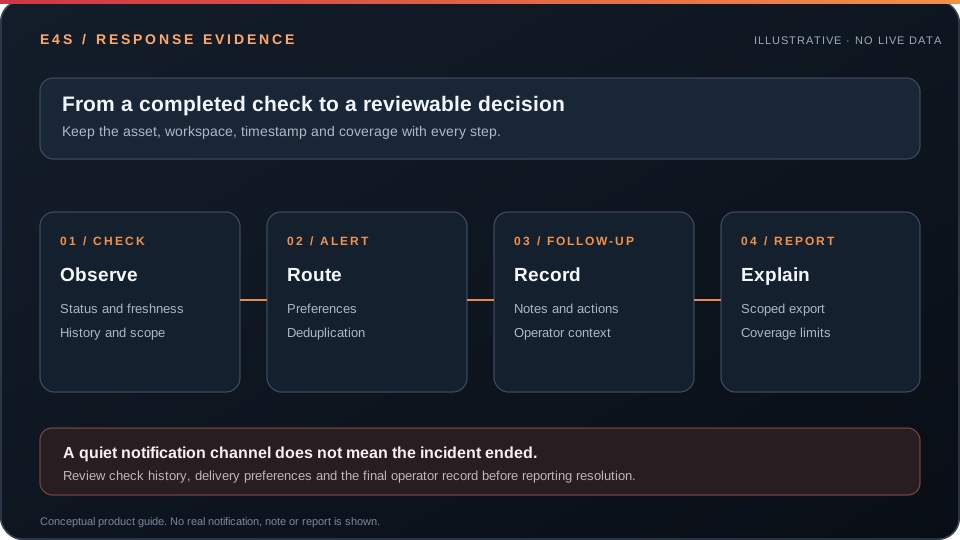 Illustration only. No live incident, customer note or report data is shown.
Operator checklist
- Confirm the affected asset, workspace, check result and freshness.
- Review alert history and delivery preferences. A deduplicated message is still an active condition until evidence says otherwise.
- Record follow-up in the approved notes or operational workflow; do not copy secrets into notes or public screenshots.
- Generate a report for the authorized recipient and selected time range. Verify asset scope and missing coverage before sharing.
Remote tools such as Terminal and Fleet Runner require their own authorization and audit path. See alert investigation, scoped reports, and terminal safety.
Before taking action
← Back to documentationConfirm the active workspace, required permission, registered asset, and freshness of the data being used.