





On this page
An execution policy can reduce accidental script runs, but Microsoft explicitly describes it as a safety feature rather than a security boundary. Code signing helps operators verify a script's publisher and integrity, yet it does not make the script safe. This guide explains how to inspect policy and signatures, prepare a controlled signing workflow and avoid a dangerous “set everything to Bypass” shortcut. Examples target Windows PowerShell or PowerShell on Windows; execution-policy behavior differs on non-Windows systems.
Prerequisites and trust model
Identify which team owns scripts, which machines run them and how a trusted code-signing certificate is issued and protected. Decide who can approve a new publisher certificate and how revocation is handled. Use a dedicated signing identity and a protected key store; do not leave the private key on a shared build host or commit it to Git. Keep signed source in a reviewed repository and retain the reviewed version used in production.
Start by reading effective policy at each scope. Group Policy may override a local setting. Do not alter the policy as a diagnostic step until you know which scope governs it.
Get-ExecutionPolicy -List
Get-AuthenticodeSignature -FilePath '.\Maintenance.ps1' |
  Select-Object Status, StatusMessage, SignerCertificate
Replace the file path with a script you are authorized to inspect. A valid signature indicates integrity and an accepted signer according to the local trust configuration; review the script's behavior and repository history as well. An unsigned script is not necessarily malicious, and a signed script is not necessarily benign.
Separate execution policy from authorization
Execution policy does not stop a user who is already permitted to run arbitrary commands from typing or invoking equivalent commands another way. Use account permissions, endpoint protection, application control and restricted administration paths for stronger boundaries. AllSigned requires signatures for scripts and configuration files, including locally written ones, but can also disrupt tooling if enabled without a migration plan. RemoteSigned has different behavior. Choose a policy based on documented risk and test it on representative hosts.
Avoid changing LocalMachine policy across an estate from one ad hoc command. A configuration management system or Group Policy can apply a reviewed setting with an audit trail. Roll out to a pilot group, verify scheduled jobs and remote administration, then expand. If a script is blocked, determine whether the block is due to policy, a missing trust chain, file origin information or an invalid signature before changing the policy.
Establish a signing workflow
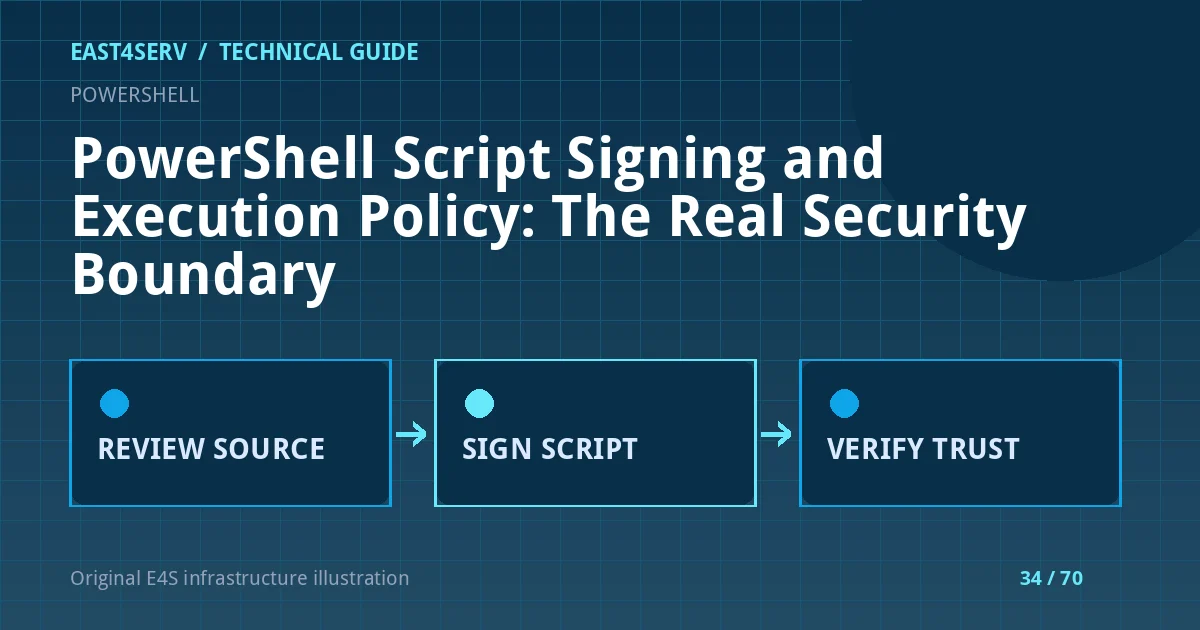
Store the source in version control and require review for changes. Use a code-signing certificate issued by a trusted authority under your policy. Sign the exact reviewed file after tests, verify the signature independently and publish a checksum or artifact identifier. A later edit to the signed file invalidates the signature. Protect and rotate the signing certificate according to the organization's key policy.
The signing cmdlet is shown for recognition, not as a ready-to-run production command; $certificate must be a validated, authorized code-signing certificate:
Set-AuthenticodeSignature -FilePath '.\Maintenance.ps1' -Certificate $certificate
Get-AuthenticodeSignature -FilePath '.\Maintenance.ps1'
Do not generate a self-signed certificate on one operator workstation and silently trust it fleet-wide. That creates a new trust root without governance. If using an internal certificate authority, verify certificate purpose, trust distribution, expiry and revocation behavior in staging.
Diagnose common failures
If Get-AuthenticodeSignature reports an invalid status, inspect the signer chain, timestamp, file modification and trust store. If a scheduled task fails while the same script runs interactively, compare the account, process architecture, working directory and effective execution policy. If a script downloaded from the internet is blocked, inspect its origin and content before considering Unblock-File; do not use that command as a blanket fix.
If a third-party installation guide asks for -ExecutionPolicy Bypass, treat the instruction as a signal to review the source and the publisher. It does not itself prove malicious intent, but it removes one safety check for that invocation. Avoid piping remotely downloaded scripts directly into an elevated interpreter without independent inspection.
Approve a rollout with measurable checks
Before expanding from a pilot, verify that the certificate chain is trusted on each target, that the expected scheduled tasks still run and that alerts are raised when a signature becomes invalid. Test certificate rotation before expiry, including a period when old and new trusted publishers may coexist. Record the script artifact hash, approving reviewer, signing identity and rollback package. If policy enforcement interrupts a business service, revert the narrow policy change through the approved management channel and preserve the event evidence. Review the signing process periodically so an unused certificate or departed operator cannot silently remain trusted.
FAQ: Does AllSigned prevent malware? No; it is one control and does not replace least privilege or application control. FAQ: Can a valid signature replace code review? No; it proves a relationship to a signer and file integrity, not correctness. Expected result: operators know the effective policy, can verify the expected publisher and have a reviewed, auditable signing process.
Related reading: PowerShell objects and pipelines and Windows Server baseline. East4Serv managed operations can review automation controls.
Primary references: https://learn.microsoft.com/en-us/powershell/module/microsoft.powershell.core/about/about_execution_policies?view=powershell-7.5 and https://learn.microsoft.com/en-us/powershell/module/microsoft.powershell.core/about/about_signing?view=powershell-7.2 and https://learn.microsoft.com/en-us/powershell/module/microsoft.powershell.security/get-authenticodesignature?view=powershell-7.1.