





On this page
SSH key rotation is a controlled change to the set of public keys that can authenticate to a server. It is not completed when a new key is generated: the new path must work, old keys must be removed from every authorized location, and administrators need a recovery method if access fails. A staged rotation is particularly important when several engineers, automation jobs, or hosting providers share a fleet.
This guide covers OpenSSH on Linux servers. File locations and account-management tools can vary by distribution. Work from an authorized administrative session with out-of-band console access. Never paste private keys, recovery tokens, or unredacted authorized-keys files into a public ticket or forum.
Prerequisites and inventory
Identify the account, hosts, and jobs that use the old key. Confirm whether keys are managed in ~/.ssh/authorized_keys, an AuthorizedKeysCommand, a cloud provider's metadata service, a configuration manager, or several of these. Record a maintenance window and rollback owner. Rotating one user's laptop key is different from rotating a CI deployment key used across dozens of servers.
id
sudo sshd -T | grep -Ei '^(pubkeyauthentication|authorizedkeysfile|authorizedkeyscommand|passwordauthentication) '
sudo journalctl -u ssh --no-pager -n 80
The service may be called sshd on some systems. sshd -T reports effective configuration for the default context; Match blocks may require testing with the appropriate connection parameters. Read the OpenSSH manual before relying on a single displayed value.
Step 1: Create a new key on a trusted client
For a human administrator, generate a separate modern key on the administrator's own workstation, not on the server. The following is an illustrative Ed25519 example; a regulated environment may require different approved algorithms or hardware-backed keys.
ssh-keygen -t ed25519 -a 100 -f ~/.ssh/e4s-admin-2026 -C 'named-admin-rotation'
ssh-keygen -lf ~/.ssh/e4s-admin-2026.pub
Protect the private file with operating-system access controls and a passphrase where practical. The .pub file is the part installed on servers. The fingerprint helps compare an authorized key record without moving private material around. For automation, use a distinct deployment identity with a narrow scope; do not reuse a human key in unattended jobs.
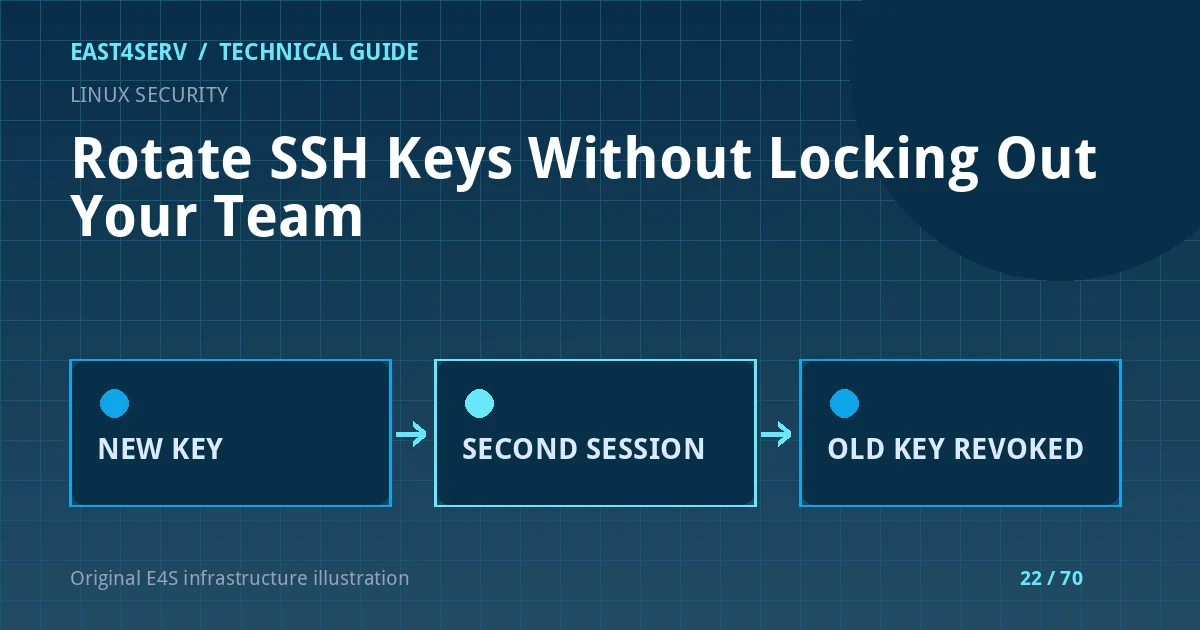
Step 2: Add the new public key without removing the old one
Append the new public key using your approved configuration mechanism. If editing authorized_keys manually, ensure the account owns the .ssh directory and file and that permissions satisfy your distribution's OpenSSH policy. Do not overwrite the entire file if other approved keys exist.
install -d -m 700 ~/.ssh
chmod 600 ~/.ssh/authorized_keys
The command above prepares permissions; it does not copy a key. Use a trusted channel for the new public key and review the complete target line before adding it. If your organization manages keys centrally, update that source of truth instead of making a local change that will be overwritten during the next deployment.
Step 3: Prove the new key works in a second connection
Keep the original session open. From the administrator workstation, explicitly select the new identity and connect to the intended host and account:
ssh -i ~/.ssh/e4s-admin-2026 -o IdentitiesOnly=yes operator@example-host
Inside the new session, confirm the account and any required sudo authorization. A successful SSH transport connection to the wrong host or wrong account does not complete the test. If it fails, inspect the client debug output with ssh -vv and the server's authentication journal, redacting user and host data before sharing logs. Check key-line formatting, permissions, AuthorizedKeysFile, Match rules, and provider-side restrictions.
Step 4: Remove the old public key and verify revocation
After all authorized operators and automation jobs have moved to the new credential, remove only the old public-key line from each authorized source. Compare fingerprints before deletion. Retest new access from a fresh session, then verify that the old key no longer authenticates. Leave a known-good console route during the change window.
Where keys are deployed by configuration management, update the repository or secret distribution mechanism and wait for reconciliation before claiming revocation. A key removed from one server may still exist on another, or in a secondary AuthorizedKeysFile path.
Expected result and audit record
The new identity authenticates to the intended account, the old identity is denied, dependent automation works, and the change record names the operator, hosts, old/new public fingerprints, approval, time, and rollback path. Do not log private key material. A signed-off rotation also updates the next scheduled review date.
Troubleshooting and common errors
- New key denied: check the destination account, key fingerprint, file permissions, server logs, and
Matchblocks before changing password authentication settings. - Connection uses a different key:
ssh -imay still offer agent keys unlessIdentitiesOnly=yesis set. - Cloud image restores old access: confirm whether cloud-init, provider metadata or an image rebuild reintroduces keys.
- Automation stops: identify jobs still holding the old key before revocation; use separate service identities for a durable fix.
- No previous-boot logs: the journal may not be persistent. Do not infer success from missing evidence.
Security considerations
Do not solve a failed rotation by enabling root password login or exposing SSH broadly to the internet. Keep human and service keys separate, use least-privilege accounts, and review firewall and provider access controls independently. If the old private key may have been stolen, treat this as an incident: rotate promptly, inspect authentication history, and investigate lateral access rather than merely replacing the key.
FAQ
Do I need to restart the SSH daemon after changing authorized_keys?
Usually no: OpenSSH reads authorized keys for authentication. Configuration-file changes are different and should be validated with sshd -t before a controlled reload.
Is removing the old public key enough?
Only if every authorized source and host has been updated. Inventory and a failed-login test with the old identity are part of completion.
Can I copy the private key to the server for testing?
No. Test from the workstation or approved hardware token where the private key belongs.
Continue reading
Pair this workflow with Ubuntu server hardening, Debian hardening, and Linux firewall planning. East4Serv can help define a staged access-control change under an agreed server management scope.
References: OpenSSH ssh-keygen manual, sshd configuration manual, and authorized keys format. Commands are illustrative and must be adapted to the authorized host and key-management policy.